Map Editor
Paint, erase, fill, select, and autotile layered 2D maps with brush sizes built for fast iteration.
Design maps, manage tilesets, edit pixel assets, organize palettes, generate art drafts, and export engine-ready files from one local browser workflow.
Paint, erase, fill, select, and autotile layered 2D maps with brush sizes built for fast iteration.
Configure autotile terrain rules and use weighted terrain fill to avoid repetitive tile placement.
Keep tile art, image layers, layer groups, and object data organized as maps become more complex.
Revise pixel assets with pencil, eraser, fill, line, rectangle, contour, selection, crop, move, and blur tools.
Import common palette formats including GIMP GPL, Adobe ASE, Aseprite, JASC PAL, Paint.NET TXT, and HEX lists.
Generate starting points for tilesets, sprites, backgrounds, icons, UI elements, and VFX with provider-backed models.
Work locally in the browser and move full projects, maps, and tilesets through native .2dp, .2dm, and .2dt files.
Move maps and tilesets to Godot, Unity, Tiled, GameMaker, Defold, Phaser, tIDE, Mappy, raster, and native workflows.
All-in-one workflow
2D Tiler is built for the everyday production loop: make the map, fix the art, keep the palette consistent, try generated references, and hand off data to the engine.
Image placeholder
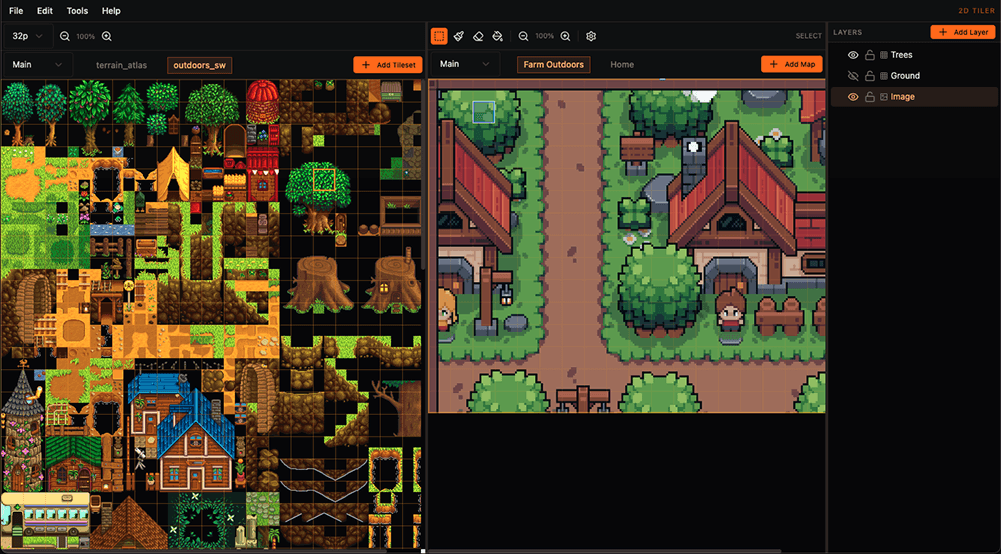
Placeholder image for the map editor canvas with layers, tilesets, and object tools.
Map workflow
Paint tiles, organize layers, place objects, use terrain-aware tools, and keep the full level layout editable as the project changes.
Image placeholder
Placeholder image for autotile terrain rule setup and weighted fill controls.
Terrain workflow
Configure autotile presets, choose terrain rules from the toolbar, and fill larger areas with weighted tile sets for less repetitive maps.
Image placeholder
Placeholder image for the image editor and palette import workflow.
Asset workflow
Use a built-in image editor for quick asset fixes, shape work, selections, crop passes, blur, and palette imports from common pixel-art tools.
Image placeholder
Placeholder image for the import and export dialog with engine format options.
Export workflow
Export native 2D Tiler files, raster images, Phaser bundles, Tiled resources, Godot scenes, Unity bundles, GameMaker rooms, Defold resources, tIDE maps, and Mappy FMP maps.
2DTiler is built by developers, for developers. We believe fundamental tooling should be accessible to everyone without recurring subscriptions or arbitrary limits.
Read the Manifesto arrow_forward